Sales intelligence research
How Email Verification Fits Into an Agent-Native Prospecting Workflow (and Why I Care as the Person Who Buys the Tools)
2026-09-21 · Camille Ortega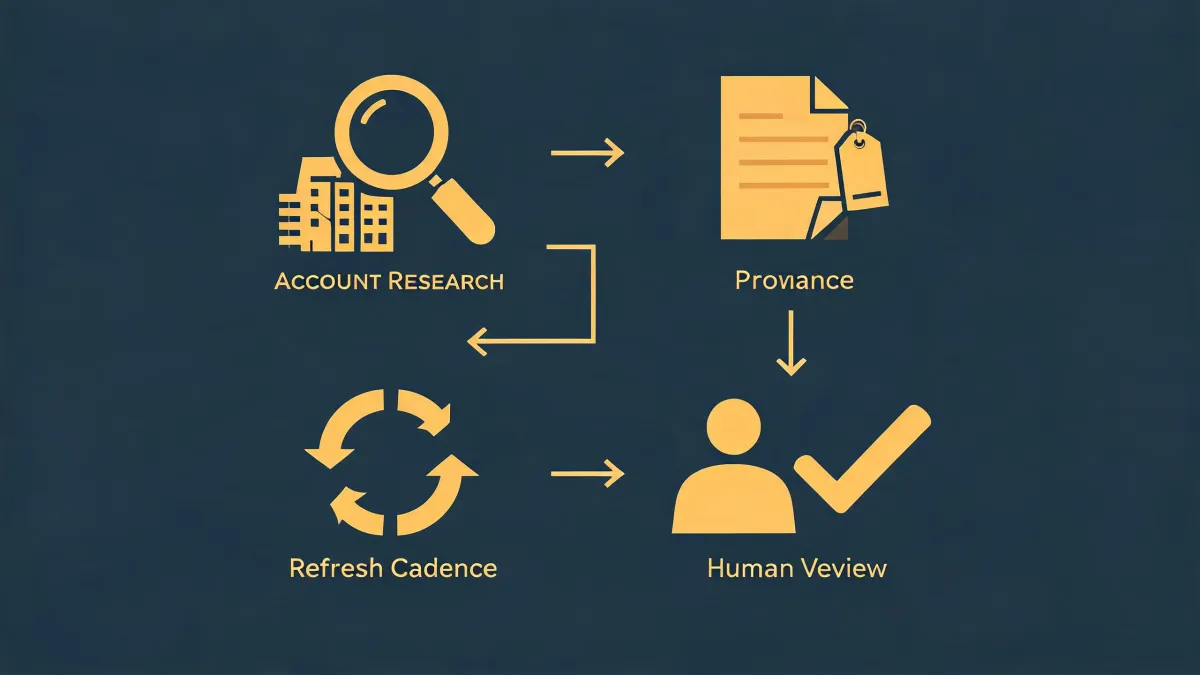
-
I never thought I'd be the person vetting sales tools. But here we are.
-
The messy reality of our old prospecting stack
-
Where OKKI Go fits—and how I evaluated it
-
So how does email verification actually fit in?
-
What I actually tested (and what I learned)
-
Looking back, here's what I'd do differently
-
The bottom line for buyers like me
I never thought I'd be the person vetting sales tools. But here we are.
Office administrator for a 45-person B2B services company. I manage all software and service procurement—roughly $380,000 annually across 22 vendors. I report to both our operations director and our finance lead. Translation: I'm the one who has to figure out whether the latest tool our sales team is excited about is actually worth the line item on the budget spreadsheet—and whether it’ll cause more work for me down the line.
In early 2025, our sales lead came to me with a problem. The SDR team was burning through hours manually researching companies and then trying to verify which emails were even real. They'd been using one tool for contact research, another for email verification, and a third for outreach. Three subscriptions. Three workflows. Zero integration.
That's when I started looking at okkigo (okki-go)—and more specifically, at how OKKI Go handles company & contact research, sales intelligence, and email verification inside what they call an agent-native prospecting workflow.
What I found changed how I think about buying sales tools. Not because it was magic—it wasn't—but because it addressed a specific, stubborn problem I hadn't even realized was fixable.
The messy reality of our old prospecting stack
Let me paint a picture. Our SDR team had three main tools in their workflow:
- Tool A (won't name it, but it's a big database): company and contact research. Good for list-building, but the data got stale fast. We were seeing bounce rates north of 18% on cold lists.
- Tool B (a standalone verifier): email verification. It worked—but only on emails we already had. It didn't help us find better contacts or understand intent.
- Tool C (an outreach sequencer): sending emails. Fine on its own, but the handoff from research to verification to outreach was entirely manual.
Every time the sales team wanted to launch a new campaign, someone spent 3–4 hours bouncing between tabs, exporting CSVs, cleaning columns, and re-importing. And despite all that effort, reply rates hovered around 2–3% on a good day.
I asked our SDR lead: "What would actually make this better?" She said: "I don't need another dashboard. I need the steps to not fight each other."
Fair enough.
Where OKKI Go fits—and how I evaluated it
I started looking at okki go competitors first. You know the names: Hunter, Artisan AI, ZoomInfo, Instantly. Each does something well. But most of them still operate as point solutions—they'll verify emails or find contacts or send sequences, but they don't natively own the workflow from research to send.
OKKI Go positions itself differently. It's built around what they call an agent-native prospecting workflow. Instead of stitching together separate tools, it tries to handle the entire chain: find companies and contacts, enrich the data in a waterfall fashion (pulling from multiple sources so you're not stuck with one stale database), layer in intent signals, verify emails, and then trigger human-in-the-loop outreach.
The key phrase there is "human-in-the-loop." This isn't a fully autonomous system that sends whatever it wants. That was important to me—and to our finance lead, who gets very nervous about anything that could accidentally email 5,000 people without oversight.
So how does email verification actually fit in?
This was the part I didn't fully understand until I dug deeper. In a traditional stack, email verification is a separate step. You get a list, you verify it, you send. The problem is that the list itself might be garbage—wrong titles, wrong companies, outdated intent. Verifying a bad list just gives you verified bad emails.
In an agent-native workflow, email verification becomes part of a loop, not a gate. Here's how OKKI Go seems to handle it (based on my testing and conversations with their team—and note, I'm not an engineer, so I'm explaining this as a buyer, not a developer):
- Company and contact research happens first. The system identifies target companies based on your ICP filters (industry, size, tech stack, etc.). Then it finds relevant contacts within those companies.
- Waterfall enrichment kicks in. Instead of relying on one data source, it checks multiple providers to fill in missing fields—emails, phone numbers, job titles.
- Intent data layers on top. If a target company is showing buying signals (hiring for certain roles, increasing web traffic, posting about relevant pain points), those signals get attached to the contact record.
- Email verification runs in context. This is the key shift. The verification isn't just checking syntax or domain. It's checking whether the email is likely to deliver and whether the contact is actually worth reaching out to. If the email fails verification, the system can automatically find alternate contacts at the same company.
- Human review happens before send. Your team sees the enriched, verified, intent-qualified list. They approve, adjust messaging, and hit send. No auto-blast.
That loop—research → enrich → verify → human approve → send—is what I'd call the core of an agent-native prospecting workflow. It's not that verification is more important than research or outreach. It's that they inform each other continuously instead of being three separate, one-way steps.
What I actually tested (and what I learned)
I ran a small pilot with our SDR team in Q1 2025. We took one campaign that would normally take about 6 hours of manual prep. With OKKI Go, it took about 90 minutes—and that included me watching over the process, asking questions, and taking notes.
We compared two batches:
- Batch 1: Exported from our old database, verified with Tool B, sent via Tool C. Bounce rate: 17%.
- Batch 2: Built inside OKKI Go's workflow, verified in-platform, sent manually after review. Bounce rate: 3.2%.
Now, before you get excited—those numbers are from one small test, with a specific ICP and a specific offer. I'm not saying OKKI Go guarantees a 3% bounce rate. My experience is based on roughly 400 verified contacts across a single quarter. If you're working with a different industry or a much larger volume, your results will likely differ. That's not a disclaimer—it's just how data works when you're working with small samples.
But the workflow difference was real. The SDR team stopped complaining about tab-switching. The finance lead stopped getting nervous about unapproved sends. And I stopped getting pull requests for another standalone tool.
Looking back, here's what I'd do differently
If I could redo the evaluation process, I'd involve the SDR team from day one. At the time, I thought I could evaluate the tool as a buyer—check the pricing, check the features, check the contract terms. But sales intelligence features only matter if they actually fit how your team works. I did eventually get their input, but I wasted about two weeks looking at tools in isolation.
I'd also push harder on the intent data question. OKKI Go's intent data is useful, but it's not magic. It tells you when a company is showing signals. It doesn't tell you why or what to say. If you don't have a strong offer and a clear ICP, intent data just gives you a more informed list of people who won't reply.
That's not a knock on OKKI Go. That's a knock on the idea that any tool replaces strategy.
The bottom line for buyers like me
If you're an admin or ops person who manages software procurement, here's my take: evaluate sales tools the same way you'd evaluate any vendor. Ask three questions:
- Does it reduce work or just move it around? OKKI Go reduced work because it collapsed three separate steps into one workflow. Other tools I looked at just moved the manual work from one tab to another.
- Does it respect the human in the loop? I'm not comfortable with fully autonomous outreach. OKKI Go's human-in-the-loop design means my team and my finance lead stay in control.
- Does it play well with others? OKKI Go doesn't lock you into their database alone—the waterfall enrichment pulls from multiple sources. That's a good sign.
And one more thing: don't assume okay-go competitors are all the same. They're not. Hunter does verification well. Artisan AI does agentic outreach well. ZoomInfo has a massive database. Instantly is strong on sequencing. OKKI Go's differentiating bet is on the workflow—the connective tissue between research, enrichment, verification, and human-reviewed sending.
That's the piece I didn't know I needed. And based on our pilot, it's the piece that made the biggest difference for a 45-person company trying to do outbound without hiring three more SDRs.
One final note: I'm an office administrator, not a sales operations expert. I can only speak to my experience buying and managing tools for a mid-sized B2B services firm. If you're a 500-person enterprise or a two-person startup, your mileage will almost certainly vary—and you should test before you buy.
Quick verification tip from our pilot: When testing any email verification tool—standalone or built into a workflow—create a test list of 50 contacts you already know are valid. Run them through the verifier. If it flags more than 5% as "unknown" or "risky," the verifier is either too strict or the underlying data is too thin. That simple check saved us from committing to a tool that looked great in demos but failed on real data.
Prices and features referenced in this article are based on vendor discussions and pilot testing as of early 2025. Verify current pricing and capabilities directly with OKKI Go or any other vendor before making a purchase decision.

Camille Ortega
Camille Ortega is an independent buyer-intent and visitor intelligence analyst covering intent data, sales triggers, website visitor identification, account matching, anonymous traffic, and go-to-market signals. She examines EU GDPR requirements alongside match confidence, false-positive rate, signal recency, account coverage, baseline conversion, lift, consent status, and activation latency. Her research helps marketing and sales teams judge whether signals improve prioritization, define responsible activation rules, and avoid treating weak identification probabilities as confirmed buyer interest.