Sales intelligence research
Okki Go Alternatives for Agent Native Prospecting: What the Permission Review Taught Me About True Cost
2026-09-08 · Jane Smith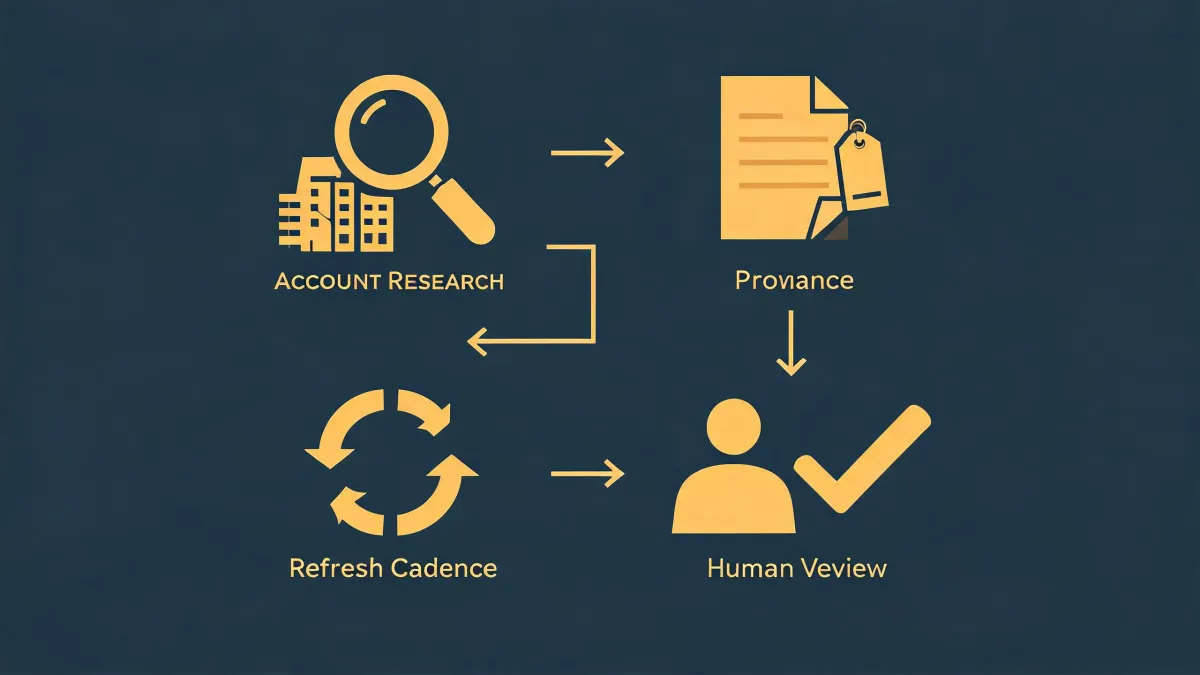
-
The request arrived as a browser link
-
Searching for Okki Go alternatives for agent native prospecting
- What permissions does Okki Go require?
-
Buying intent signal vs. buyer intent data providers
-
How does LinkedIn scraping fit into an agent-native prospecting workflow?
-
The decision was not the cheapest quote
-
The takeaway: value over price is a workflow decision
The request arrived as a browser link
March 12, 2026, 9:30 a.m. Our VP of Revenue forwarded a note from the SDR team. It said, 'Can you approve Okki Go before the database renewal?' There was a Loom link attached and no procurement ticket. That is how most sales-tech purchases start at a 140-person company: messy, urgent, and hard to ignore.
I'm not the person who picks sales tools. I'm the person who pays for them. I've managed the sales technology budget at a B2B SaaS company for about six years. We spend roughly $210,000 per year on that stack, and I have tracked every order, quote, add-on, and unused license in our cost system. So when a tool showed up at the last minute, my first instinct was to compare it with everything cheaper.
That instinct was wrong.
Searching for Okki Go alternatives for agent native prospecting
The SDR manager explained that the team wanted more than an email finder. She called it agent-native prospecting. When I pressed her for a translation, she said the AI agent works the same way a good SDR works: it opens a profile, evaluates company fit, looks for buying intent signals, enriches missing fields, and hands a draft to a human for approval. It is not a tool that sends emails to a static list all afternoon.
When I searched for Okki Go alternatives for agent native prospecting, I found plenty. There are self-serve enrichment tools, LinkedIn automation apps, AI writing copilots, and enterprise buyer intent data providers. I am not naming the vendors because this post is not about bashing a competitor. It is about the cost model that made the decision obvious.
I built a TCO spreadsheet. Actually, it was not a pretty spreadsheet. It had rows for permission scope, data credits, integration gaps, and security review hours. It annoyed our sales operations lead, but it caught costs that list-price comparisons miss.
What permissions does Okki Go require?
This was the part I expected to hate. Most sales tools ask for broad permissions. Okki Go's browser extension did not match my expectation. Our security lead reviewed the version we tested and logged three categories of access:
- LinkedIn tab access. The extension operates on the LinkedIn profile or search page you have open. It does not request access to unrelated sites and it does not ask for a full LinkedIn data export.
- Optional CRM tab access. If you connect Salesforce or HubSpot, the extension asks for access to the CRM page you have open so it can log activity. This is optional.
- Account profile information. It needs your Okki Go login and email address to authenticate you and your workspace.
As of the version we reviewed in March 2026, Okki Go did not ask for full email mailbox access, browser history, or access to every website. I'm not a security engineer, so do not treat that as an official security opinion. Permission details can change, and enterprise deployments may use a different authentication model. From a procurement perspective, though, the scope was noticeably narrower than the alternatives we tested.
I should add that this was exactly the kind of review I normally skip. In the past, we did not have a formal process for browser extensions. That gap cost us once when a plugin we approved started reading our entire email account. We caught it before damage was done, but only by luck. Now every extension gets the same vendor questionnaire.
The permission list is a cost signal
I do not mean that a small permission list automatically means a better product. What I do mean is that permission scope predicts three hidden costs: security review time, breakage risk, and vendor lock-in. A tool that needs full Gmail access or admin credentials creates review cycles that can take weeks. A tool that only touches the tab in front of you can be approved and tested in days.
Here is something vendors do not advertise: the visible price is rarely the total cost. In our comparison, the cheapest entry-level tool had a low monthly fee, but it required connecting our main LinkedIn accounts and buying a separate enrichment plan. If LinkedIn changed one setting, the workflow would stop. That maintenance cost showed up as four hours every week for our RevOps lead. The quote did not include that.
Buying intent signal vs. buyer intent data providers
Then I went down the buying intent signal rabbit hole. We had been talking to three buyer intent data providers. They all promised better prioritization. The demos were impressive until I asked who was on the list and what happened next.
A buying intent signal should answer a practical question: Is this account or person likely to act soon? But many buyer intent data providers sell signals in bulk. They hand you a list of accounts that showed surge activity on topics. Then, to make the list useful, you still need contacts, enrichment, and a workflow. That's not a one-time cost; it's a multi-vendor integration project.
To be fair, buyer intent data providers can be valuable for enterprise territory planning. If you have a large named account list and a dedicated data team, your calculations will be different. My experience is based on a specific context: a mid-size B2B company with about 30 SDRs and no separate data science team. We do not need 20,000 account signals. We need a shorter list, with verified contacts, and a clear reason to reach out.
The oversimplified rule, 'buy more intent data,' ignores how much work it takes to turn a signal into an email. In my experience, that is where the real cost hides.
How does LinkedIn scraping fit into an agent-native prospecting workflow?
When I heard the words LinkedIn and AI in the same sentence, I assumed scraping was the business model. I was partially right. I am not a lawyer, and I am not giving you legal advice. From an operations standpoint, the more useful question is whether LinkedIn is the main database or just a trigger.
In the agent-native workflow we reviewed, LinkedIn is a starting point. The agent sees a profile or search result the SDR has already opened. It treats that person as a candidate, checks firmographic fit, looks for a buying intent signal, and then enriches the record through a waterfall of data sources. If one source is missing the email, it moves to the next source. LinkedIn is not scraped at scale, exported to a CSV, and sent to a cold email tool. It is context for the task in front of the agent.
That difference matters. Tools that scrape LinkedIn in the background create legal, security, and data quality risk. That risk does not show up on a price sheet. It shows up later, when an account gets flagged, a data source changes, or a list becomes stale.
The decision was not the cheapest quote
Two weeks into the trial, our sales ops lead sent me a message: this was the first time she did not have to clean a list before sending. The reason was not magic machine learning. The agent only created an outreach record when three things lined up: the person fit the ICP, the account had a reason to act, and the email passed verification. Then the SDR approved the draft before it went out.
After comparing eight vendors over three months, I recommended Okki Go. I will say it plainly: Okki Go was not the cheapest quote. The cheapest options were self-serve data tools and an AI sequence platform with no human review step. Those options would have looked better in a one-page price comparison.
But the total cost told a different story. The buyer intent data provider had an annual contract with minimum spend and an integration fee. The self-serve option had data credits that would expire. The sequence tool needed a separate email verification service to protect deliverability. No one mentioned those costs in the first demo.
Okki Go sat in the middle on price. But it removed separate intent contracts, reduced manual list cleaning, and kept a human in the loop. I could not promise our CFO a specific lift in reply rates, because I do not think anyone can honestly do that. I could show that the total cost of the workflow was lower than the alternative stack, even though the unit price was not the lowest.
The takeaway: value over price is a workflow decision
I have managed budgets long enough to know that value over price is a cliche until you measure it. For a prospecting tool, here is how I would measure it:
- Permissions: What permissions does the tool need? More access means more review time and more long-term risk.
- Signals: Where does the buying intent signal come from? If it is not connected to a contact and a verified email, it is not actionable.
- LinkedIn: Is LinkedIn scraping the whole workflow or just the first step? An agent-native workflow should do more than collect leads.
- Human review: Who approves the outreach before it is sent? If no one, the true cost will appear in domain reputation and trust.
I almost approved a cheaper alternative because I was used to pricing seats and data credits. The permission review changed my mind. It forced me to look at how the tool works, not just what it costs each month. That is the real lesson for anyone who manages a budget: the cheapest option can be the most expensive one once you include the work around it.
This does not mean Okki Go is a magic fix or a replacement for a good SDR team. We still review every first message. But in our evaluation, it had a narrower permission scope and a workflow that matched how our SDRs actually sell. That is why it won the review.

Jane Smith
I’m Jane Smith, a senior content writer with over 15 years of experience in the packaging and printing industry. I specialize in writing about the latest trends, technologies, and best practices in packaging design, sustainability, and printing techniques. My goal is to help businesses understand complex printing processes and design solutions that enhance both product packaging and brand visibility.